PvME · Writing for PvME
Forum Icon Builder
Guide credit
PvME
Written and kept up to date by the PvME community.
Everyone with a change to this guide in PvME's Git history, most changes first (2 changes):
- x222 · 2 changes
- Licence
- CC BY-NC-SA 4.0
- Permission
- Hosted here under CC BY-NC-SA 4.0, the licence PvME publishes. The site owner also says PvME's admins gave permission for wider reuse, in a direct conversation. No written record yet. Record
Every word matches PvME. Checked against the upstream source as of 2026-11-24. Open the source
Introduction
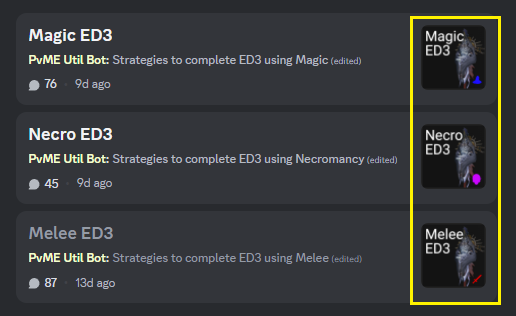
This guide will cover creating icons for our Discord forums, such as the below examples:
Creating using web app
Steps
- Grab the background image of the boss you're looking for
a. If using https://runescape.wiki then:
⬩ Do not right-click the image on the NPC's main page (it is low quality/size)
⬩ Instead, click on the image and download the full-size version
- Once added into the web app, you can move (by dragging) and zoom (by scrolling) the background image
a. Try to make the background image in the bottom-right
b. Scroll through forum images to get an idea of the style
- Download your file by clicking the
create iconbutton
a. Your icon should be a .png file - if not, use a converter tool online first such as https://cloudconvert.com/webp-to-png
- Edit the relevant forum inside Bot test (external Discord) by typing
/forum editand following the instructions
- Et voila! It's that simple.